

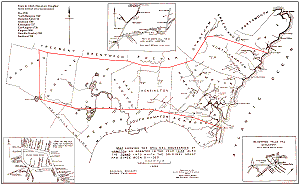
 The book History of the Town of Hampton, New Hampshire, from its settlement in 1638, to the autumn of 1892 by Joseph Dow (Salem Press Publishing) is considered the "bible" of Hampton History. Included with it is a nice historical map of Hampton, "showing the original boundaries of Hampton, as granted in the year 1638."
This map, when unfolded, measures 17.5 inches by 11 inches. We have scanned it at high resolution and are making it available for download. It is suitable for printing, up to its original size.
There are several versions available for view/download, via links below. Clicking any of these links will display the large image on your screen (although some browsers might be set to automatically downscale pictures to fit the screen). Each will take a long time to finish displaying - as long as 3 minutes with a 56K dial-up connection. Wait until it is fully displayed (your browser's activity indicator will stop).
You can then save and/or print the image. For more information on how to do this, see the Printing Images page for explicit instructions. Do not use your browser to print these images.
After displaying an image and saving it, use the Back button on your browser to return to this page.
Click here to display the Meeting House Green map, which has its own featured page off the main Maps page.
The other 2 small maps are: